Sealkeep by Nicholas Xerri
Your files. Your keys. Your control.
Sealkeep encrypts your files on your own device before they reach cloud storage. Keep using Dropbox, OneDrive, Google Drive or Nextcloud. Only you can open what you put there. Not your provider, and not me.
- Windows, macOS, Linux
- Any cloud folder
- No account
- Reading is always free


Everything a vault needs. Nothing it doesn’t.
A vault is an ordinary folder of small encrypted objects. Put it anywhere your files already sync, and open it on any of your computers.
Encrypted on your device
Every file is encrypted with XChaCha20-Poly1305 before it is written. Names, folders and timestamps are encrypted too.
Works with the cloud you have
Dropbox, OneDrive, Google Drive, iCloud Drive, Nextcloud, Syncthing. Sealkeep never talks to your provider.
Password, plus a keyfile
Argon2id makes every password guess slow. Add a keyfile and a stolen vault can’t be guessed open at all.
Every version kept
Nothing is changed in place. Restore any earlier version of a file, or see what changed and when.
Several devices at once
Two computers can write to the same vault. If both change one file, both versions are kept side by side.
Tampering is detected
Every object is authenticated. Altered, swapped or rolled-back data is reported, never silently accepted.
Open it like a drive
On Linux and macOS, mount an unlocked vault as a folder from the command line and use it from any app.
Export any time
Export single files or a whole vault back to plain files. That never needs Pro or a network.
App and command line
A desktop app for everyday use, and a command line for scripts. Passwords are always asked for, never passed as arguments.
Take a look around
Real screens from the app with its sample files, in light and dark. Sealkeep follows your device’s appearance.
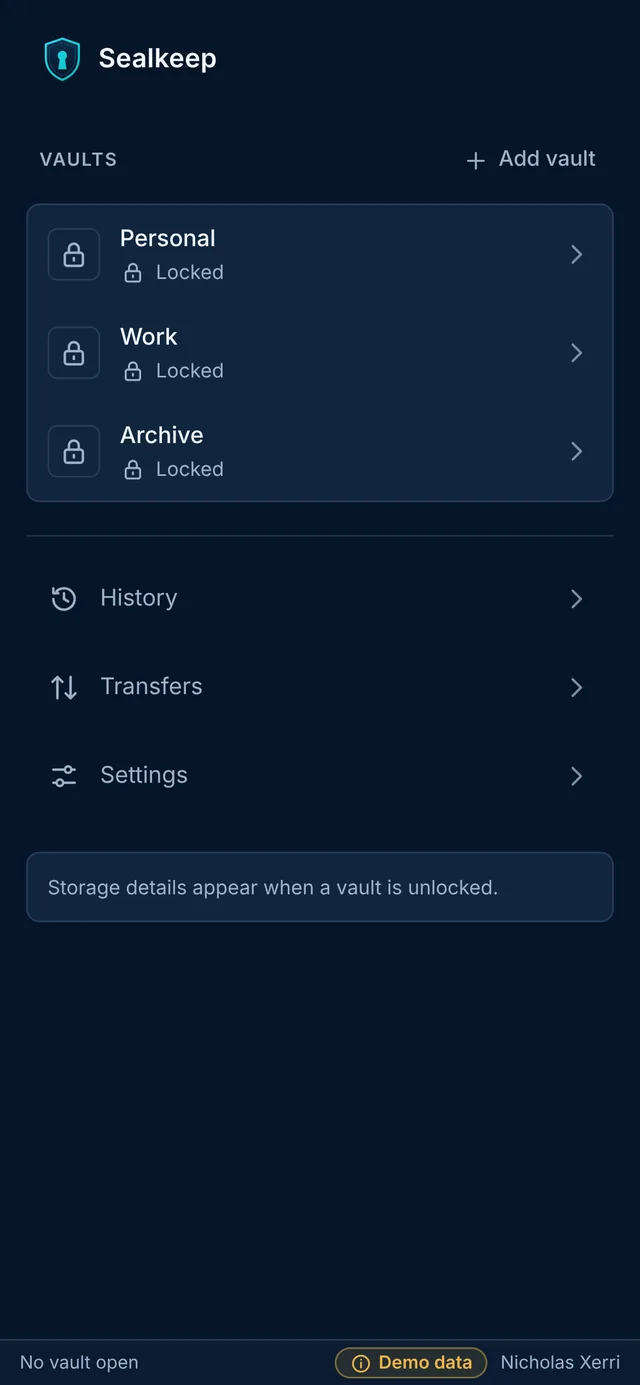
Your vaultsEvery vault you use, locked until you open it.
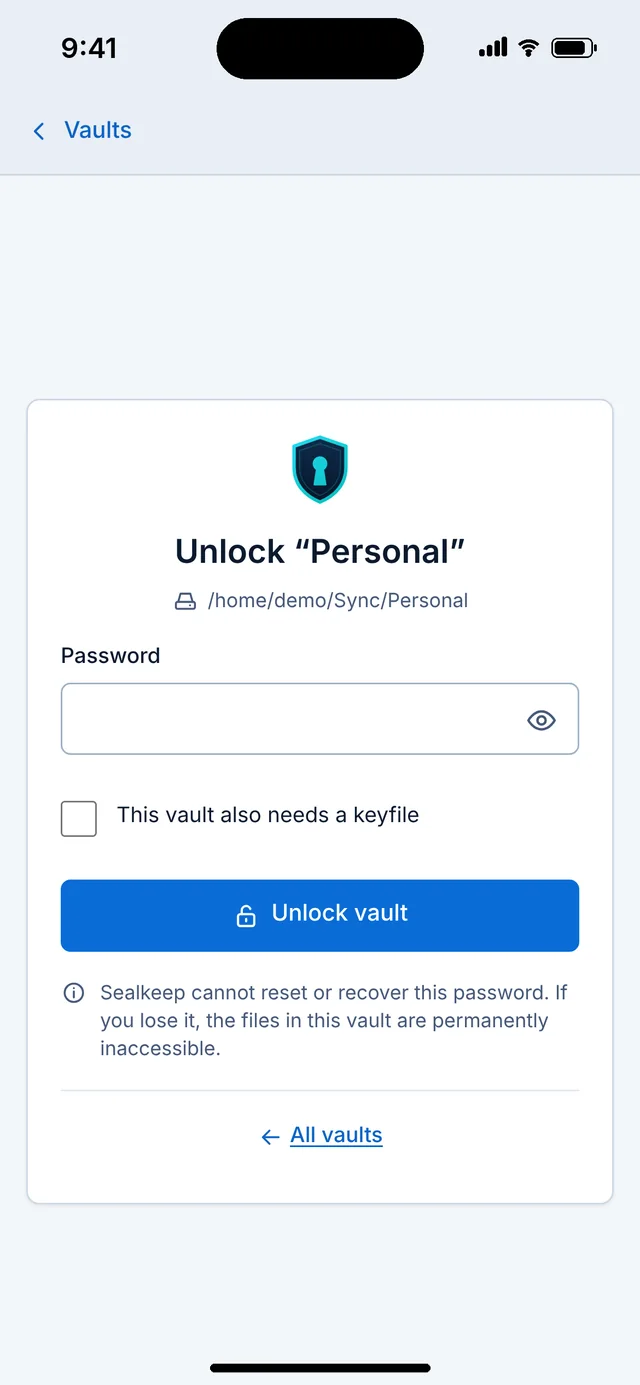
UnlockYour password, and your keyfile if the vault needs one.
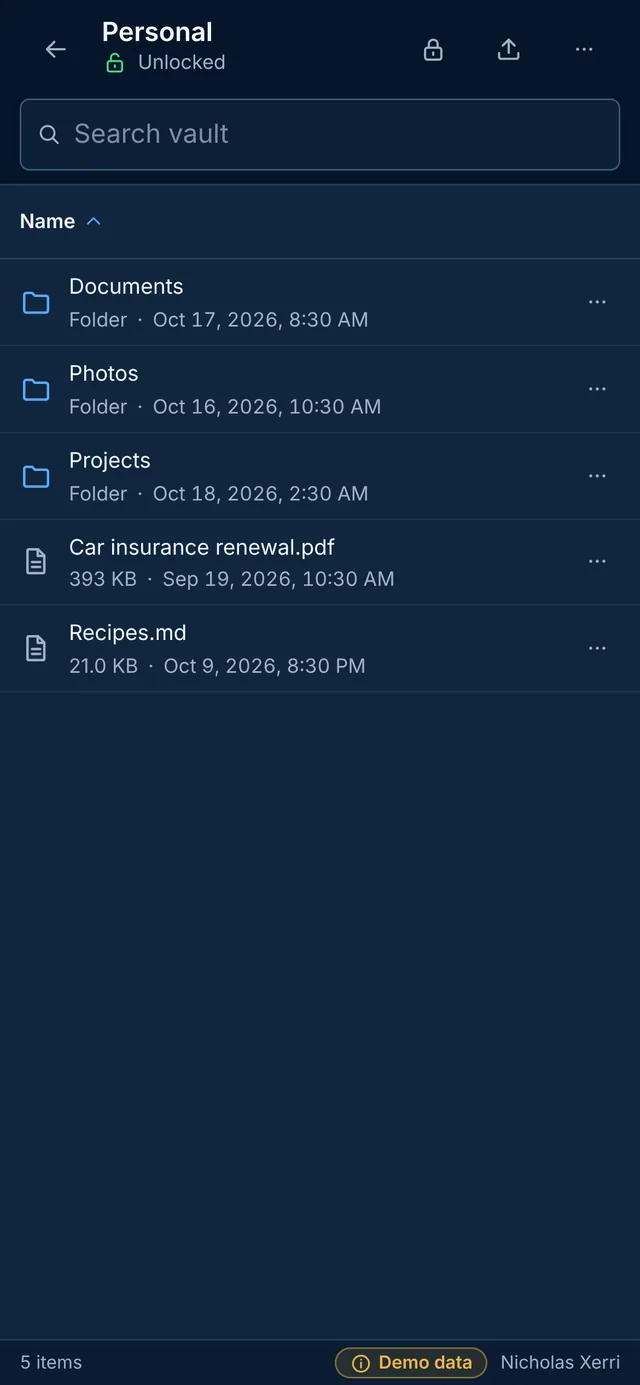
Your filesFolders and files, decrypted only on your device.
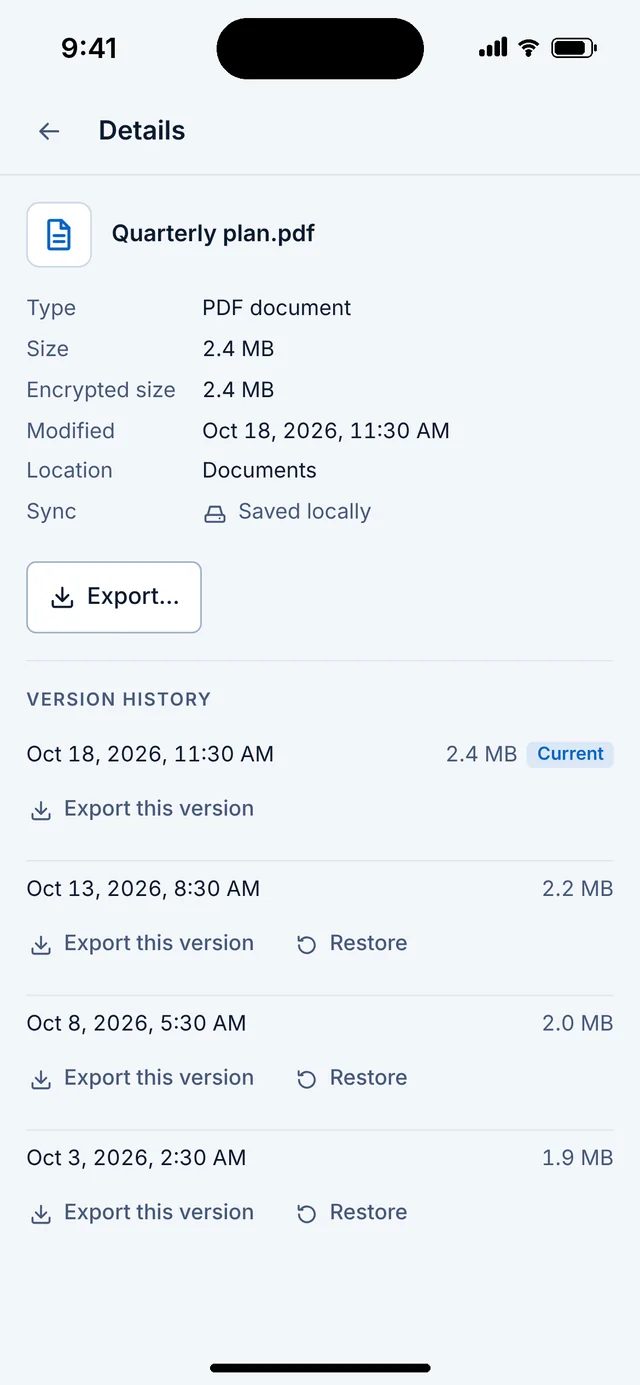
Every versionExport or restore any earlier version.
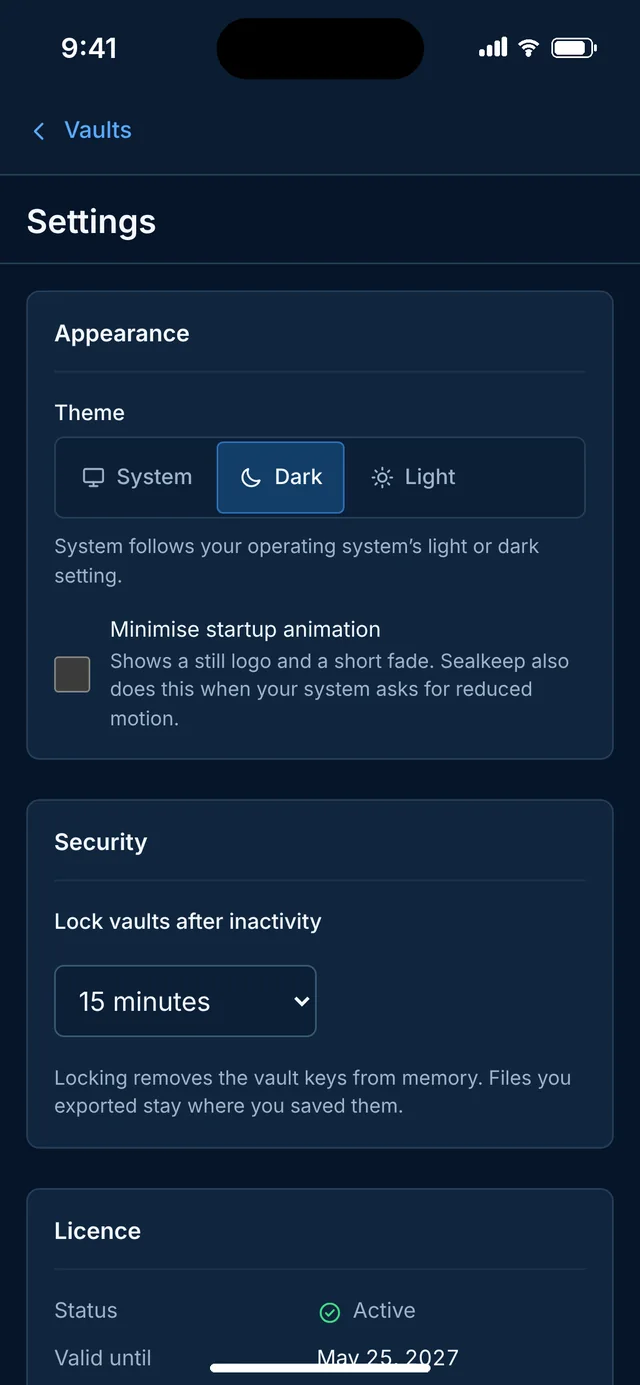
SettingsTheme and auto-lock. Locking clears the keys from memory.
Phone layouts shown. The iPhone, iPad and Android apps are planned and not released yet.
Private by design, not by promise
Sealkeep is built so there is nothing about you, or your files, for anyone to see.
No account
No sign-up, no email address, no phone number. Install it and create a vault.
No analytics or tracking
The app has no analytics, advertising, crash reporting or tracking code. This website has none either.
Keys stay with you
Your password and keyfile never leave your device. No master key, no escrow, no recovery service.
Works offline
Unlocking, reading and exporting never need a network. Sealkeep never talks to your cloud provider.
Keep your cloud. Stop trusting it with plain files.
Your sync service still uploads and downloads the vault like any other folder. What it carries is encrypted, and the key never leaves you.
One key, and it’s yours
Open a vault with a password. For stronger protection, require a keyfile too: a small random file Sealkeep generates and you keep somewhere else, such as a USB stick.
- Passwords are stretched with Argon2id, 256 MiB and 3 passes by default
- Keyfile mode is enforced by the encryption itself, not by a check that could be skipped
- Sealkeep refuses to save a keyfile inside the vault it protects
No reset. No recovery.
Lose your password, or your keyfile in keyfile mode, and the files are gone for good. That is the price of a vault nobody else can open.


Nothing changed in place
Every change is a new encrypted commit, so an interrupted save never damages what was there, and history comes for free.
- Restore or export any earlier version of a file
- Edits from two devices are kept side by side, never merged byte by byte
- Old versions stay until you choose to clean them up
Check your vault any time
Sealkeep checks a vault and tells you what it found: missing or damaged data, or files changed on two devices at once. A deep check decrypts and authenticates every chunk, so tampering can’t hide.

Buy once. Keep it forever.
Sealkeep is free with one vault on each device, with every feature. Sealkeep Pro adds as many vaults as you like, drive mounting and the command line, for a single payment with no subscription to remember or cancel. With or without Pro, every vault always opens, reads and exports, offline. You are never locked out of your own files.
Sealkeep Pro: one payment, in the App Store on Mac, iPhone and iPad, in Google Play on Android, or from this site for Windows and Linux. Store prices in other currencies are set by Apple and Google.
Questions
Can you reset my password?
No. There is no reset and no recovery, for anyone, including me. That is what stops anyone else from opening your vault. Keep your password safe, and keep copies of any keyfile on separate media.
Which cloud services work?
Any service that syncs a folder: Dropbox, OneDrive, Google Drive, iCloud Drive, Nextcloud, Syncthing and others. Sealkeep only works with the local folder and never connects to your provider.
Can my cloud provider see anything?
It sees encrypted objects: how many there are, roughly how big, and when they change. File contents, names, folders and timestamps are encrypted. What Sealkeep protects, and its limits.
Does Sealkeep need the internet?
No. Unlocking, reading, verifying and exporting all work offline. Sealkeep has no account and sends nothing about you or your files anywhere.
What happens if I edit a file on two devices?
Both versions are kept side by side, and the vault health panel tells you about it. Nothing is merged byte by byte, so nothing is lost.
Has Sealkeep had a security audit?
Not yet. It has been tested in depth by its developer on every platform, but it has not had an independent security audit. This site will say so until it has.
A Nicholas Xerri app
Made in Malta. Built like a bastion.
I’m Nicholas Xerri, an independent developer. I build apps that assume someone will try to get in, and make sure they can’t. Sealkeep is designed so you don’t have to trust me, your cloud provider or anyone else with your files. About me