How it works
A vault is a folder.
Only you hold the key.
Sealkeep turns any folder into an encrypted vault. Your sync service copies it like any other folder, and sees only encrypted data.
1. Create a vault
Choose an empty folder, usually inside your Dropbox, OneDrive, Google Drive, iCloud Drive, Nextcloud or Syncthing folder, and a password. Optionally require a keyfile as well. Sealkeep checks that your credentials really open the new vault before it is used.

Each vault gets one random root key. It is stored only wrapped under your credentials, so there is nothing else that could unlock it.
2. Add files
Files are split into chunks and encrypted on your device. What lands in the folder is a set of small, immutable encrypted objects with random names. File names, folders, timestamps and file sizes are inside the encryption. Your storage provider can still see how many objects there are, roughly how big they are, and when they change.
- Nothing is changed in place: every change is a new encrypted commit
- An interrupted write leaves the earlier version intact
- Your sync service uploads the new objects like any other files
3. Open it on another device
Install Sealkeep, point it at the synced vault folder and unlock with the same credentials. Several devices can write at the same time. If two change the same file, both versions are kept side by side, so nothing is lost.


4. Use your files
Browse and open files in the app, export them back to plain files, or, on Linux and macOS, mount the unlocked vault as a folder so any app can work with it. Lock the vault and the plain view disappears.

5. Go back in time
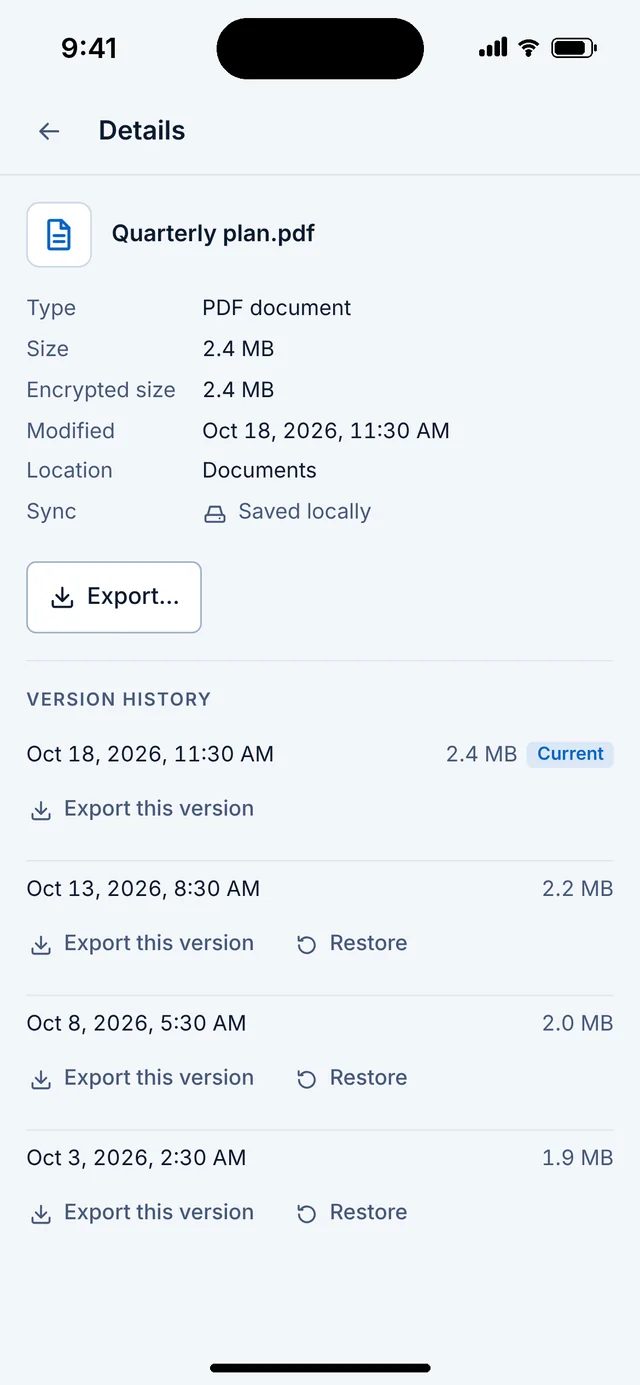
Because nothing is overwritten, every earlier version of a file stays in history until you choose to clean it up. Restore one with a click, or from the command line.
What Sealkeep never needs
- An account, an email address or a phone number
- Access to your cloud provider: it works on the local synced folder only
- A network connection to unlock, read or export
- A server I run that could hold or reset your keys. There isn’t one
Where the licence fits
A licence lets a device write: create vaults and add or change files. It is checked offline, against a signed lease stored on the device that stays valid for up to 30 days between refreshes. Without a licence, every vault still unlocks, reads, verifies and exports. Licensing never touches decryption. How licences work